
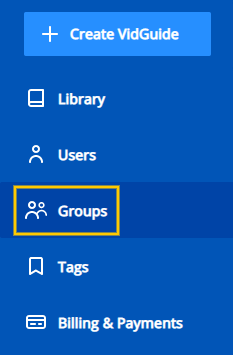
From the VidGuide™ navigation menu, click on Groups. This will take you to the group management page.
Add Groups
To add a new group, enter the group name in the Create New Group field and click the Create Group button.


To add users to the group, click on the Add Users button and select the users you would like to the group.

Edit Groups
Account administrators have the ability to edit any group.
To edit a group, click the Edit button with the pencil icon on the right side of the screen next to the group you want to edit.

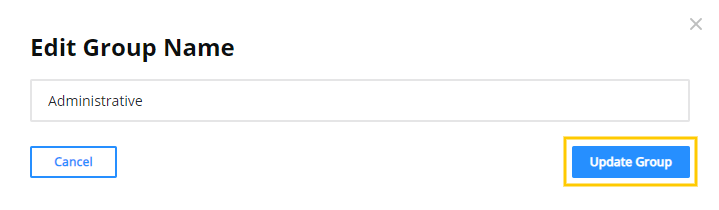
Make the desired changes to the group name and click the Update Group button to save your changes.
Delete Groups
Account administrators have the ability to delete any group.
To delete a group, click the Delete button with the trash bin icon on the right side of the screen next to the group you want to delete.

You will be prompted to confirm that you want to delete the group. To proceed with deleting the group, click the Delete button. If you no longer wish to remove the group, click the Cancel button to return to the group management page.
